

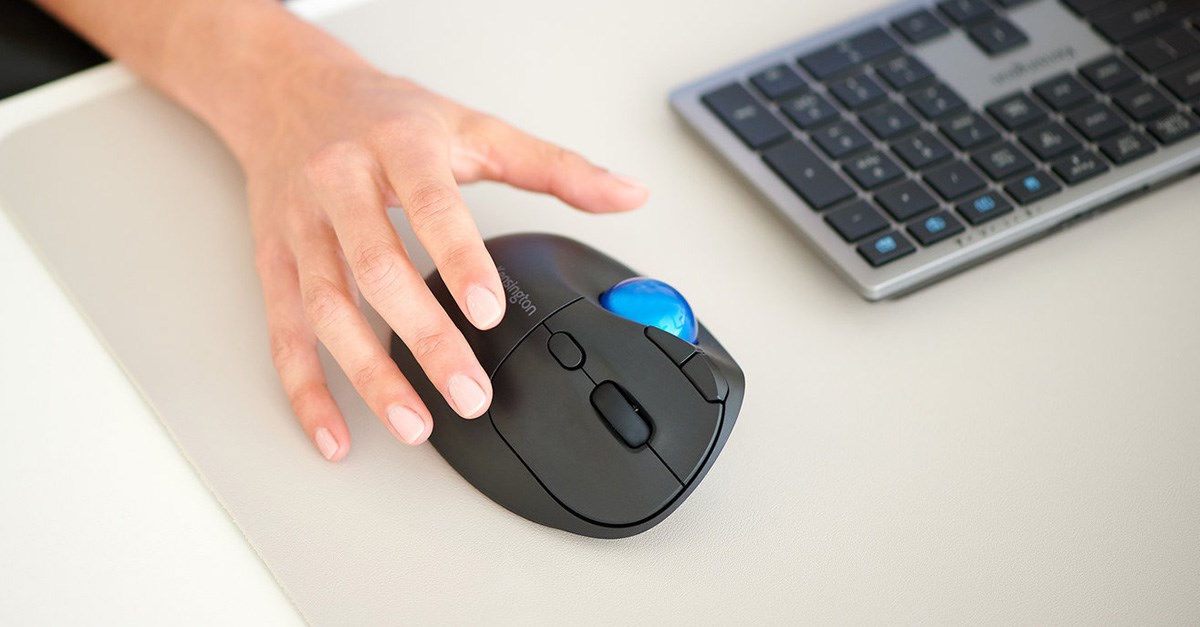
Trackball mice have long been popular among professionals who prioritize precision and ergonomic control.
Among the available designs, the thumb-operated trackball stands out for its compact layout and thumb-driven movement. But when it comes to real-world performance…
Are thumb-operated trackballs faster than traditional mice?
Which ergonomic benefits do thumb-operated trackballs offer?
Can thumb trackballs be used effectively for gaming?
How do Kensington trackballs compare?
What should I look for in a trackball mouse for productivity or gaming?
This article breaks down the performance, ergonomics, and gaming potential of thumb-operated trackballs. It compares them to traditional mice and finger-operated models to help determine whether they offer the precision and responsiveness needed for gaming and professional work.
What Is a Thumb-Operated Trackball and How Does It Work?
Unlike traditional mice, which require full-hand movement across a surface, trackballs remain stationary.
The user controls the cursor by rotating a ball embedded in the device.
In thumb-operated models, the ball is manipulated with the thumb while the fingers handle clicks and scrolls. Finger-operated trackballs typically place the ball in the center and use the index or middle finger for movement.
Trackball thumb options:
- Reduce elbow and shoulder movement
- Allows for one-handed operation
- Tends to result in a more compact footprint
- Are better suited for smaller workspaces or on-the-go use
Some manufacturers offer thumb trackballs with high-DPI sensors and customizable buttons, features that have already caught gamer's attention. With programmable inputs and adjustable sensitivity, they offer more than just ergonomic appeal.
Performance Breakdown – Are They Really Faster?
Speed in pointing devices depends on several factors, including:
- DPI sensitivity
- Cursor acceleration
- Ergonomics
- User familiarity
- And more
Thumb-operated trackballs often come equipped with high-DPI sensors that allow for fast and accurate movement. Models with higher DPI settings (1600 or more) can move the cursor across large screens with minimal thumb movement.
In gaming, speed is only one part of the equation.
Many game types, especially strategy and tactical shooters, require precision over quick reaction. The fixed nature of a trackball allows for very fine control without moving the arm, which can benefit players during extended sessions or in games that demand accurate placement.
However, keep in mind that there is a learning curve.
Users switching from a standard mouse may experience a temporary drop in speed or comfort until they become acclimated. Despite this, many users have gained speed and become more comfortable when using a trackball after getting over the learning curve.
Ergonomics and Hand Fatigue: The Real Competitive Edge?
The main benefit of any trackball is its ergonomic profile.
Because the arm stays stationary when using a trackball, it may help reduce arm fatigue over time.
Additionally, thumb-operated models further reduce wrist motion by isolating control to the thumb.
By reducing elbow and shoulder movement, thumb trackballs can help maintain a more relaxed hand posture throughout the day.
Gamers may also benefit from this ergonomic edge—because when you're in for an extended session, comfort becomes a power-up that can make all the difference between a total victory and a game over.
Many trackball users prefer it while gaming to have less wrist movement and use their fingers for precise movement. This may help to improve focus, faster reaction times and more consistent performance.
Customization Features That Impact Gaming
Modern thumb-operated trackballs are built with more than ergonomics in mind. When looking to enhance your gaming and working experience, look for:
- Adjustable DPI settings to fine-tune cursor sensitivity for specific tasks or gaming styles.
- Tilt-angle adjustment for personalized wrist positioning.
- Programmable buttons for assigning in-game commands or system macros.
- Responsive scroll wheels, important for quick menu navigation.
- Dual wireless connectivity (Bluetooth® + 2.4GHz) for minimal lag and cable-free convenience.
- Different types of batteries and how long will they last.
- Different types of charging mechanisms like USB charging vs. batteries and how convenient each is for your needs.
These allow thumb-operated trackballs to function as fully customizable gaming peripherals.
Thumb-Operated Trackballs vs. Traditional Mice: Performance and Comfort Comparison
| Feature | Thumb-Operated Trackballs | Traditional Mice |
|---|---|---|
| Movement | Stationary device, thumb-controlled ball | Requires full-hand and arm movement |
| Speed | High precision, adjustable DPI | Fast flicking and quick movement |
| Ergonomics | May help reduce wrist/arm strain | May cause fatigue over long sessions |
| Learning Curve | Steeper for first-time users | Familiar to most users |
| Ideal Use | Precision tasks, long sessions | Fast-paced gaming, general use |
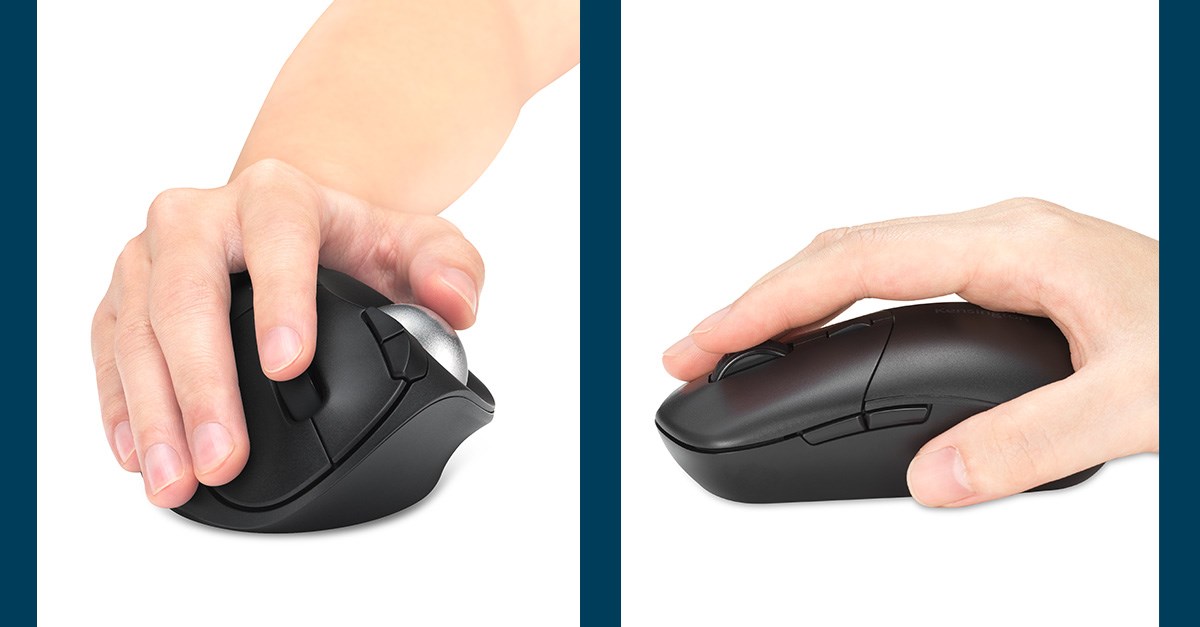
Best Thumb-Operated Trackballs for Gaming (Kensington Picks)
Here are top Kensington models designed for users interested in exploring thumb-operated trackballs for gaming and productivity:
Best for On-The-Go Needs
Kensington Pro Fit™ Ergo TB450 offers a wireless thumb-controlled experience with up to 1600 DPI, dual wireless (Bluetooth® + 2.4GHz), and plug-and-play compatibility.
Its sculpted shape makes it great for mobile users who need performance on the go, as well as wrist and forearm comfort. Additionally, its battery life is around 15 to 18 months, depending on the particular settings and use.
Best for Advanced Ergonomics
Kensington Pro Fit™ Ergo TB550 includes a premium ergonomic tilt angle, an enhanced 4D scroll wheel for an intuitive user experience, DPI adjustment up to 1600, and quiet-click buttons.
It is certified to contain a minimum 51% post-consumer recycled content of the total plastic components, and its sculpted design supports long work and gaming sessions with less fatigue. It can be charged via its USB-C® port and last for up to 4 months.
Kensington Trackball Comparison Table
| Model | DPI Range | Wireless Support | Battery | Notable Features |
|---|---|---|---|---|
| Pro Fit™ Ergo TB450 Trackball | Up to 1600 | Bluetooth® + 2.4GHz | External, around 15 or 18 months | Compact, mobile-friendly |
| Pro Fit™ Ergo TB550 Trackball | Up to 1600 | Bluetooth® + 2.4GHz | Via USB-C®, up to 4 months with a single charge | Ergonomic tilt, quiet-click buttons |
Frequently Asked Questions About Thumb-Operated Trackballs
Are thumb-operated trackballs good for gaming?
Yes, particularly for strategy, simulation, and slower-paced games. They offer precision, less fatigue, and programmable controls that enhance gameplay.
How long does it take to adapt to a trackball?
Most users adjust within a few days to a week.
Are thumb-operated trackballs better than finger-operated ones?
It depends on personal preference. Thumb-operated models are more compact and one-handed, while finger-operated ones offer central ball control and symmetrical designs.
Do Kensington trackballs work with macOS and Windows?
Yes, most models including the TB450 and TB550 are compatible with both macOS and Windows.
How can I clean my trackball?
While some aspects will depend on your model, most trackballs are very easy to clean. You can lift the actual ball to clean it and use a rag or microfiber cloth to remove any dust or debris there is in the socket. Some of our models, like the Kensington TB550, include a ball ejection button that makes it even easier.
Conclusion: Are Thumb-Operated Trackballs Worth It for Speed?
Whether a thumb-operated trackball is faster than a traditional mouse depends on what you need it for and your personal preferences.
In fast-paced shooter games where flick aiming is the goal, a standard mouse may offer more raw agility. But for players who are after precision, comfort during marathon sessions, and customizable controls, thumb trackballs offer a different type of performance.
For many users, this combination makes thumb-operated trackballs a practical and competitive input method.
Ready to thrive in comfort? Use our product finder to choose the right thumb-operated trackball for you, and start experiencing gaming and work in a new way.
Experience a new level of control and comfort. Explore top thumb-operated trackballs designed to support gaming and professional workflows.